APSGO LOGO
Combination
x1
Total Price:
View Cart
No APPS available
Cart
Home Overview WonderFox Video Watermark Video Batch Adding Watermark Software
💪 加油,开学季 📚
No. 1 Scenes
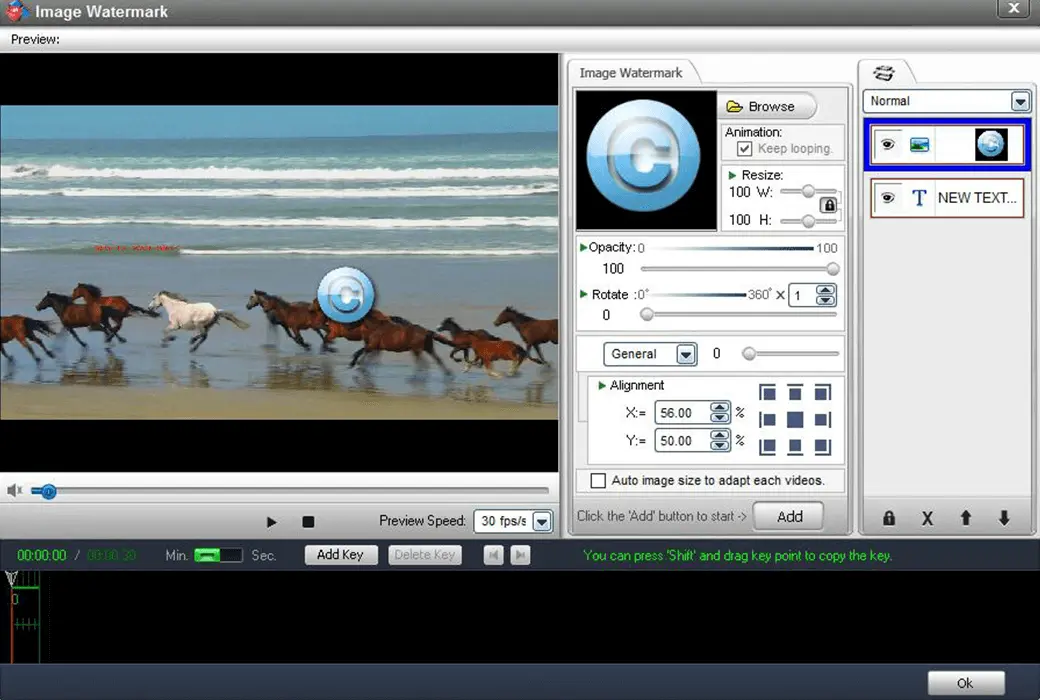
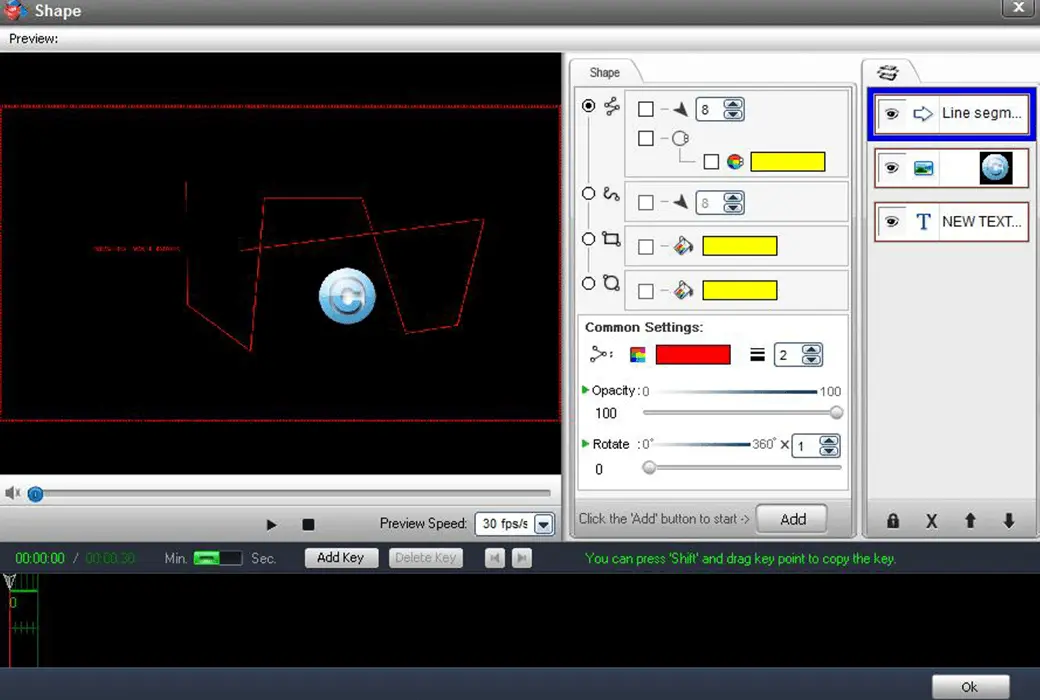
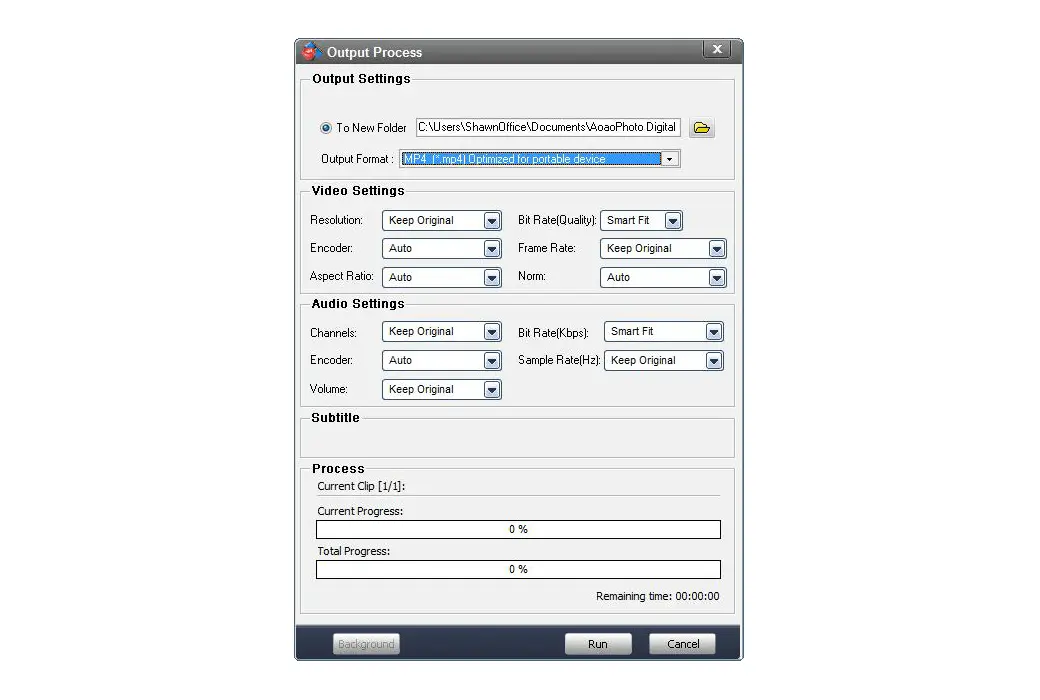
WonderFox Video Watermark Video Batch Adding Watermark Software截图 WonderFox Video Watermark Video Batch Adding Watermark Software截图 WonderFox Video Watermark Video Batch Adding Watermark Software截图 WonderFox Video Watermark Video Batch Adding Watermark Software截图 WonderFox Video Watermark Video Batch Adding Watermark Software截图 WonderFox Video Watermark Video Batch Adding Watermark Software截图 WonderFox Video Watermark Video Batch Adding Watermark Software截图 WonderFox Video Watermark Video Batch Adding Watermark Software截图 WonderFox Video Watermark Video Batch Adding Watermark Software截图
Download
WonderFox Video Watermark Video Batch Adding Watermark Software
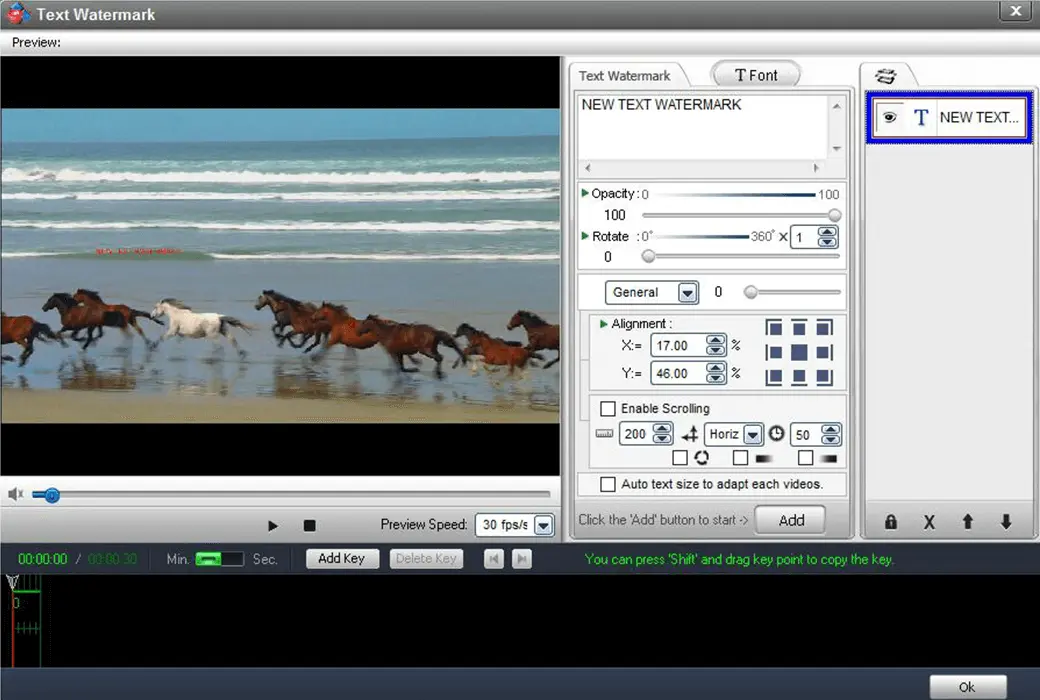
WonderFox Video Watermark focuses on protecting your video copyright and preventing unauthorized use of videos you share on social media and blogs. A fully functional video watermarking program, but definitely easy to use. This video watermarking software allows you to combine text, images, logos, symbols (including animated images), and your videos in an ultra fast batch processing mode.

{{ item.spec_option }}

{{ item.spec }}

System

{{ auction.sku_info.price }}

Reference price

Auction Rules:
1、Reference validity period of this auction:2026-09-01 00:00:00 ~ 2026-09-01 08:00:00 。After entering the 60s countdown, if there is a new bid, the countdown will be restarted for 60s, with an infinite loop.
2、Starting Price:38.00,No less than each bid:1.00 ,The current lowest bid cannot be lower than:38.00, The highest bid cannot be higher than43
3、There is no limit to the number of times each person can bid, and a maximum of 3 consecutive bids can be made ahead. Before bidding, a deposit must be submitted first. If the bid is successful, please complete the payment within 3 days. Failure to pay within the time limit will be considered a breach of contract for this auction.
4、After the auction is completed, users who have not won the auction can apply for the release of the deposit on their own, and users who have won the auction can also apply for the release of the deposit after paying the order.
5、 If the payment is not completed after winning the bid, you will not be able to continue participating in new bidding activities and the deposit will be frozen.
6、Warning: In order to maintain fairness and impartiality in this bidding activity, it is strictly prohibited to participate in the bidding for the purpose of hoarding goods and intending to resell them at high prices on other platforms. We have zero tolerance towards such behavior. Once discovered, your account will be immediately banned without further notice.
 
Current highest bid: {{ auction.hight_price }} None
Make a bid Not started yet
{{ item }} ({{ auction.currentOrdersNum ? auction.currentOrdersNum : 0 }}) ({{ app.qa.questionsData.total }})

WonderFox Video Watermark focuses on protecting your video copyright and preventing unauthorized use of videos you share on social media and blogs. Have you ever had a similar situation? It takes several hours to make a video. You share it on social media and eventually find that your own video has already been placed under someone else's name. Therefore, you may need to add identity and ownership information in the video to ensure that viewers know the source.


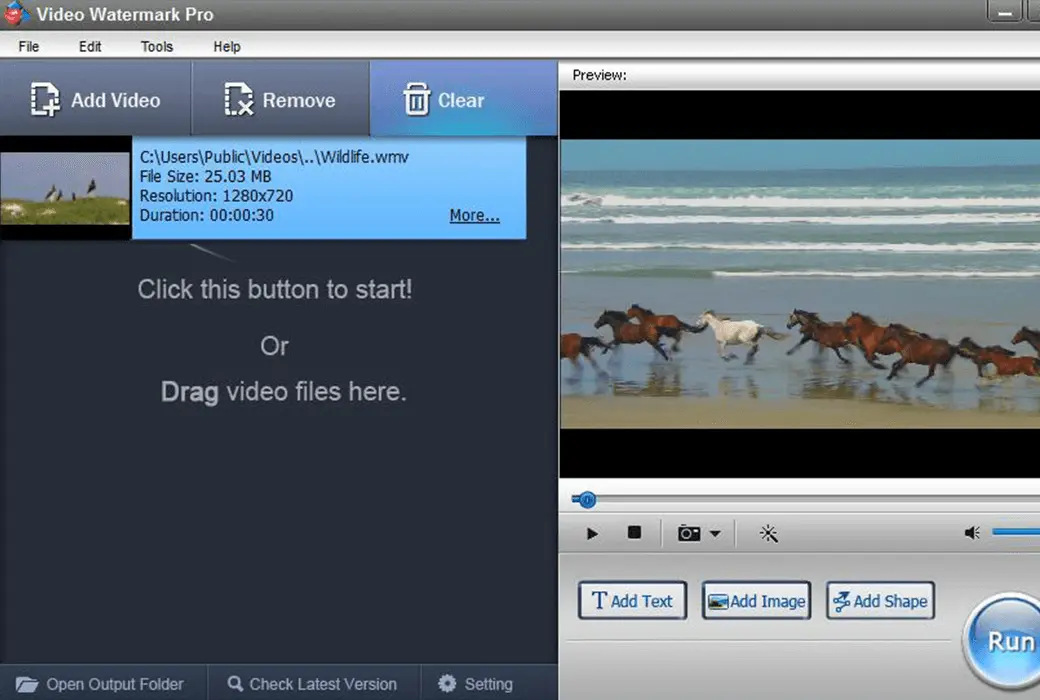
WonderFox Video Watermark is a fully functional video watermarking program, but it is definitely easy to use. This video watermarking software allows you to combine text, images, logos, symbols (including animated images), and your videos in an ultra fast batch processing mode. Video watermarking is easy to operate, user-friendly, and has a fast processing speed, making watermark processing very easy and fast. It can be completed with just a few clicks without waiting for a long time, making it an excellent solution for protecting and annotating videos.


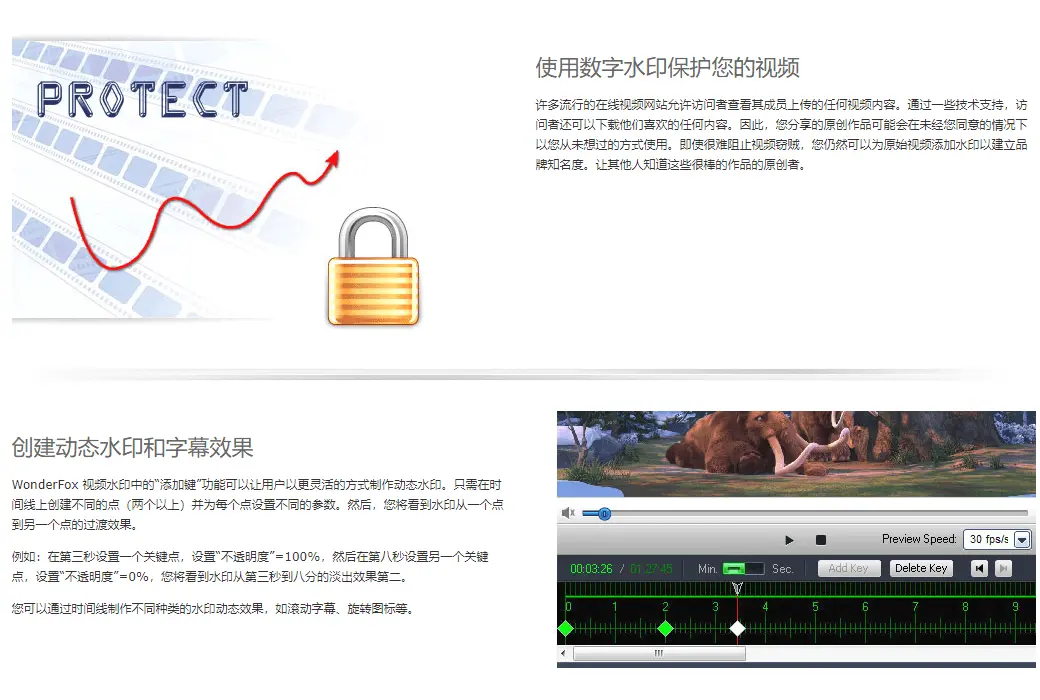
Protect your videos with digital watermarks


Many popular online video websites allow visitors to view any video content uploaded by their members. With some technical support, visitors can also download any content they like. Therefore, the original works you share may be used in ways you have never thought of without your consent. Even if it is difficult to prevent video thieves, you can still add watermarks to the original video to establish brand awareness. Let others know the creators of these great works.


Create dynamic watermarks and subtitle effects


The "add key" function in WonderFox video watermarks allows users to create dynamic watermarks in a more flexible way. Just create different points (two or more) on the timeline and set different parameters for each point. Then, you will see the transition effect of the watermark from one point to another.


For example, in the third second, set a key point with "opacity"=100%, and then in the eighth second, set another key point with "opacity"=0%. You will see the watermark fade out effect from the third second to the eighth.


You can create different types of watermark dynamic effects through timelines, such as scrolling subtitles, rotating icons, etc.


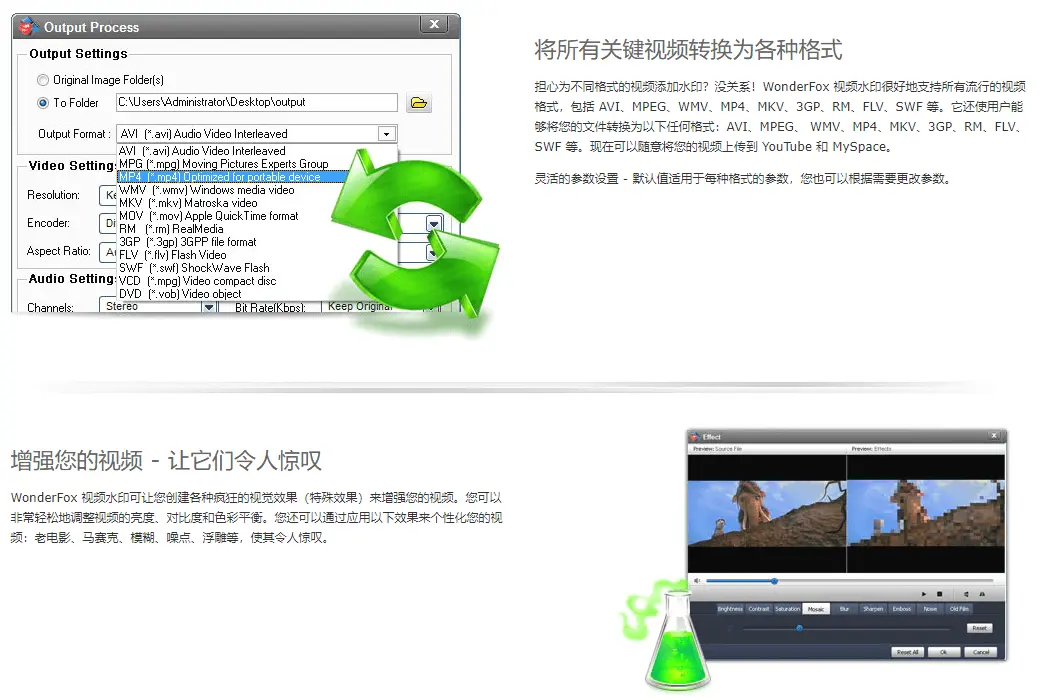
Convert all key videos to various formats


Worried about adding watermarks to videos in different formats? It's okay! WonderFox video watermarks support all popular video formats well, including AVI, MPEG, WMV, MP4, MKV, 3GP, RM, FLV, SWF, and more. It also allows users to convert your files to any of the following formats: AVI, MPEG, WMV, MP4, MKV, 3GP, RM, FLV, SWF, etc. Now you can freely upload your videos to YouTube and MySpace.


Flexible parameter settings - default values apply to each format of parameters, and you can also change the parameters as needed.


Enhance your videos - make them stunning


WonderFox video watermarks allow you to create various crazy visual effects (special effects) to enhance your videos. You can easily adjust the brightness, contrast, and color balance of your videos. You can also personalize your videos by applying the following effects: old movies, mosaics, blurs, noise, reliefs, etc., making them stunning.


Batch adding watermarks to videos


Are you still having trouble processing watermarked videos one by one? With WonderFox video watermarks, you can batch process all videos you edit simultaneously. It will save you a lot of time and energy.


Official website:https://www.videoconverterfactory.com/video-watermark/

Download Center:https://video-watermark.apsgo.cn

Backup Download:N/A

Delivery time:24-hour automatic shipping

Operating platform:Windows

Interface language:Supports English interface display.

Update instructions:The software manufacturer promises to use it permanently and provide free updates.

Pre purchase trial:30 day free trial.

How to receive the goods:After purchase, the activation information will be sent to the email address at the time of placing the order, and the corresponding product activation code can be viewed in the personal center, My Orders.

Number of devices:Can install 1 computer.

Replacing the computer:Uninstall the original computer and activate the new computer.

Activation guidance:To be added.

Special instructions:To be added.

reference material:https://www.videoconverterfactory.com/video-watermark/

{{ item.user.nickname }} Lead Out
{{ item.created_at }} {{ item.user.region }}
{{ item.price }}
Offer
More Records
Ask a question
All Default Newest

Tips

You need to pay a deposit before participating in the bidding
To Pay

Please enter this bidding price

Bid must not be lower than{{ curAuction.min_price }} Not Higher than{{ curAuction.max_price }}
Confirm

Auction Code

Confirm