Printer monitoring software
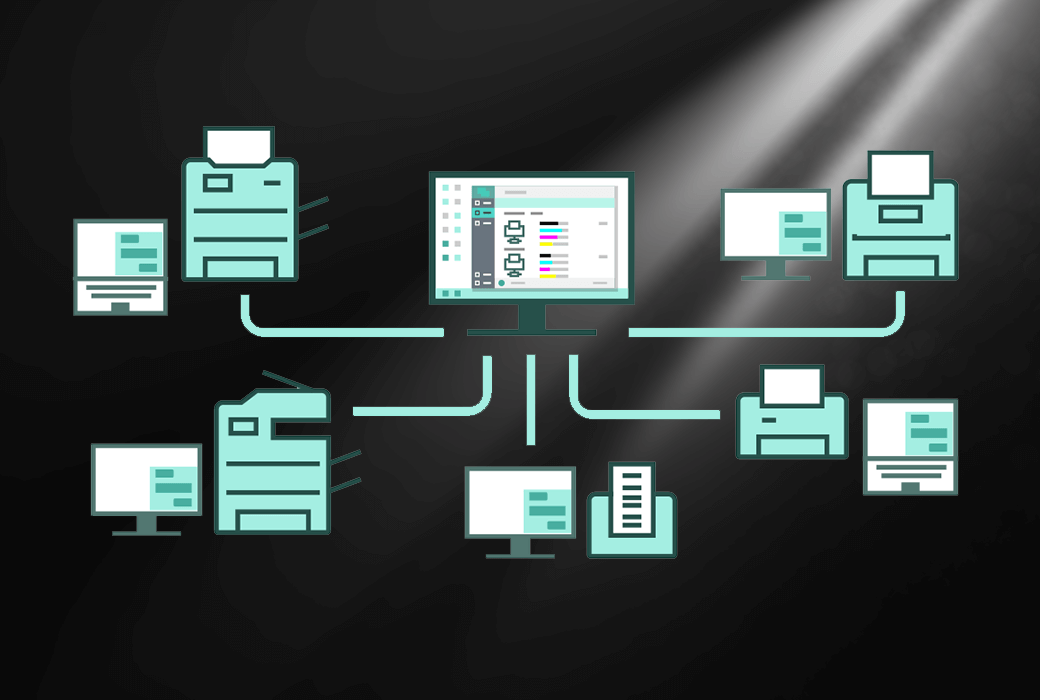
PrintVisor is a Windows application used to monitor printer usage and ink/toner levels. This program provides real-time monitoring and recording of local, virtual, and network printers. It collects status data of all printing devices in the organization and displays them in applications and web dashboards.
PrintVisor is an effective printer monitoring tool designed to ensure smooth office processes. It provides data such as printer status, possible errors, current print queue, total number of printed documents and pages, average waiting time, and print time.
A simple solution for office printing audit
PrintVisor enables you to track the availability, current status, and workload of printers (local, network, virtual). Through this printer monitoring software, you can check the levels of ink and toner, as well as daily, weekly, and monthly statistics on printed files. PrintVisor also tracks recently printed files and sends alerts and notifications about printing related events. This program provides complete control over any printing device on the network.
You can directly check the ink or toner level of the printer from the interface or web dashboard. By using PrintVisor, you will always have access to the following information:
- The current ink/toner level of each printer
- When it is necessary to restock printer ink
- What is the current status of each printer
- Which printers are the most active and which are idle
- What did the user print (who, what, and when)
Remote acquisition of real-time data
- Printer and its status
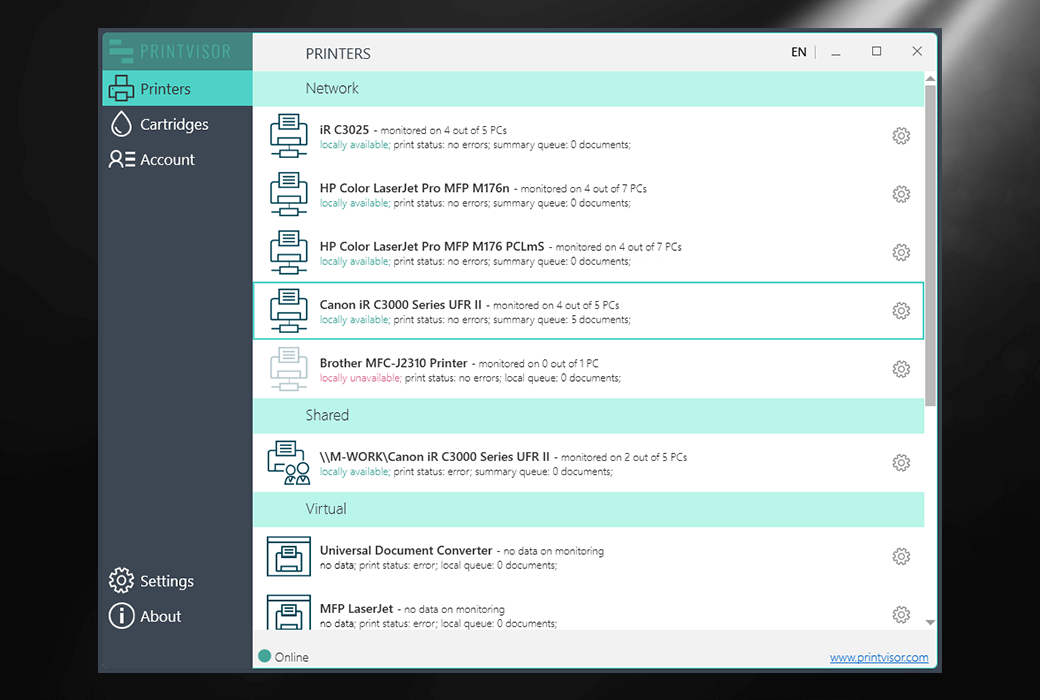
In the PrintVisor application, monitor the parameters of all connected printers (local, network, and virtual). This includes their current status, physical availability, workload, printer status, print queue, and operational errors.
- Ink and ink cartridges
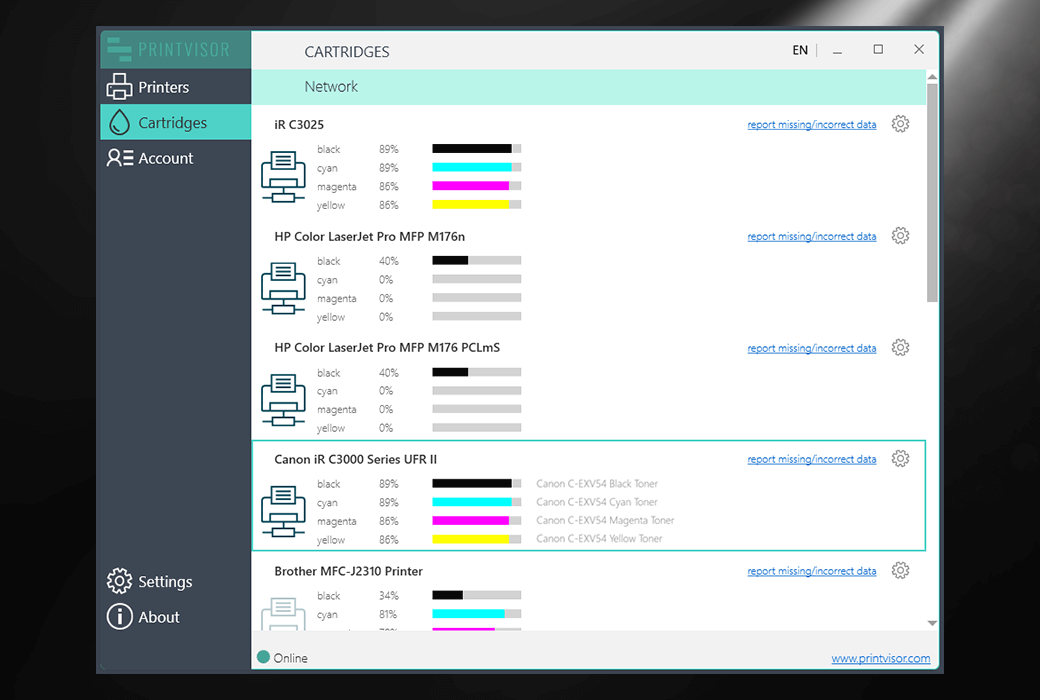
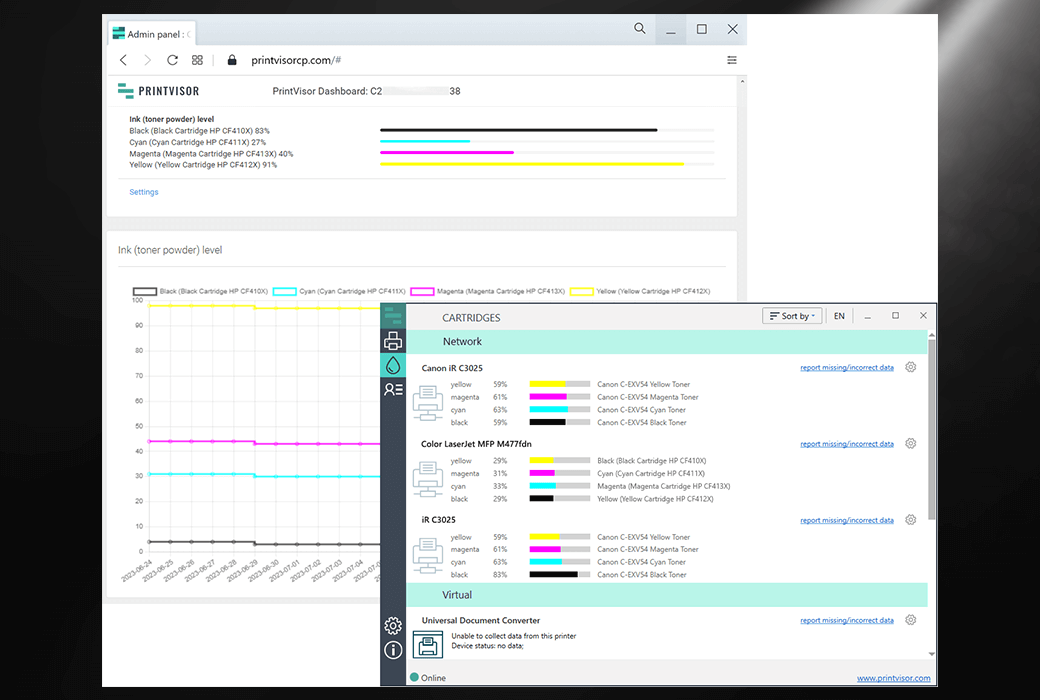
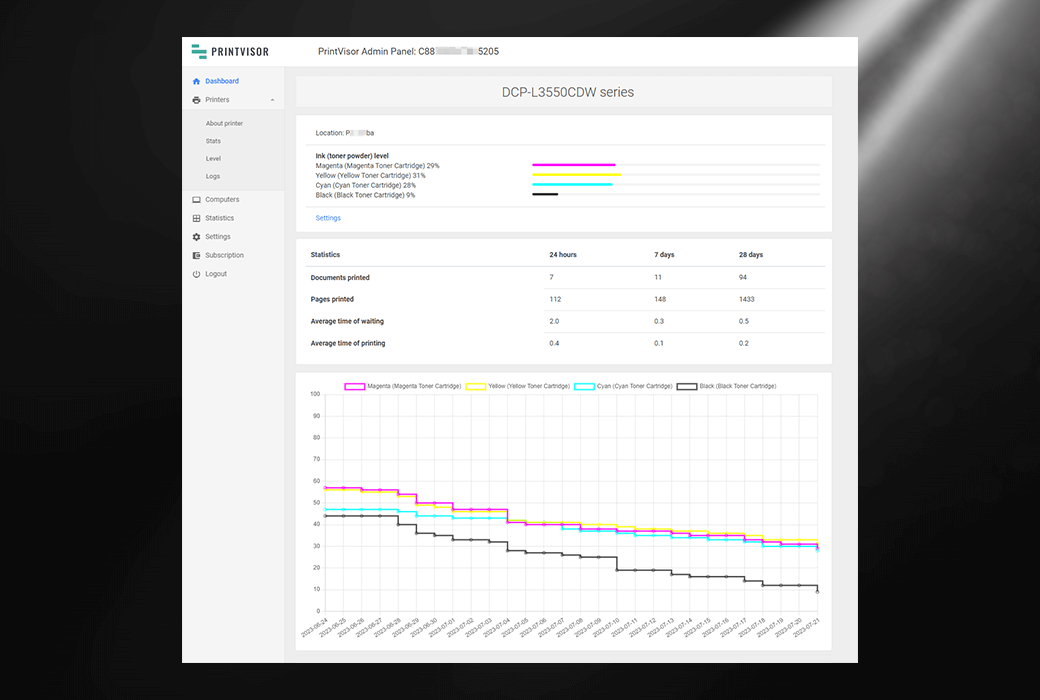
Monitor the ink cartridge and toner usage of company printers and multifunctional all-in-one machines, and access data from each device. You can easily identify the ink cartridges that need to be replaced as soon as possible. The management panel displays daily, weekly, and monthly expenditure trends.
- Paper consumption
Track your company's paper usage using visual reports. You can view information on the number of files or pages printed from a specific printer or computer on a daily, weekly, or monthly basis.
- Equipment load
PrintVisor can help alleviate heavy load on devices and make more frequent use of idle devices. This program provides insights into ink cartridge utilization, average print times, time required to print or wait for the printer, and the busiest machines. By using PrintVisor data, you can optimize your printer group.
- Printing history and security
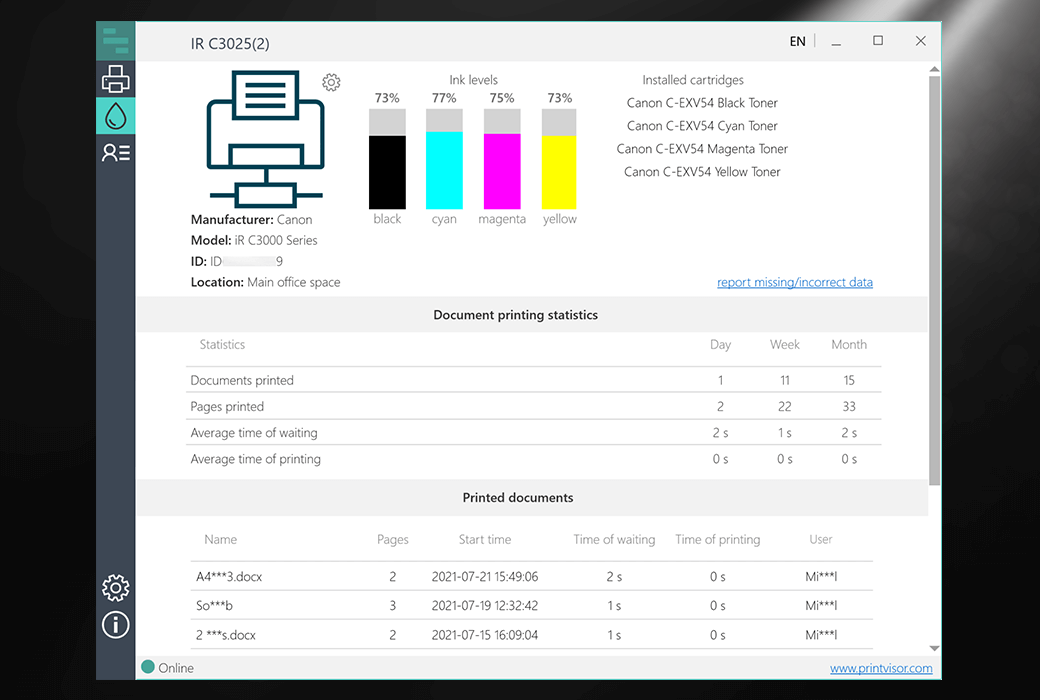
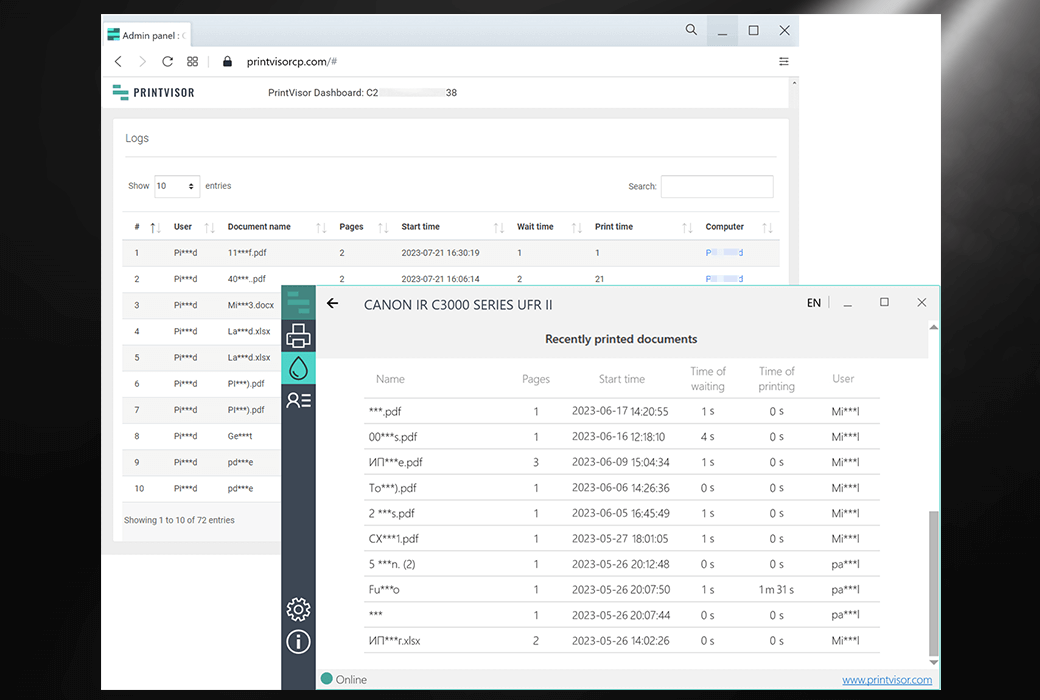
View data on all printed files and their print volume during a specific time period, including page count, file type, and file name. You can track the printing process and understand who and when it is printed in your facility. This program can only access and display the names of PCs and printers, and will not disclose personal identity information.
- Send notifications via email or courier
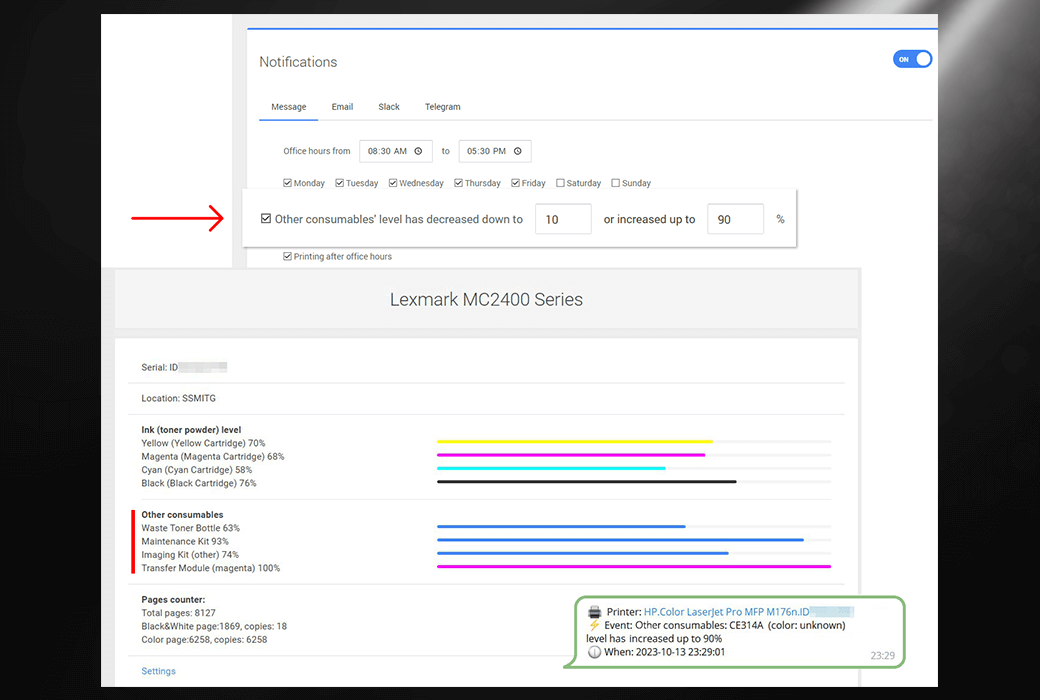
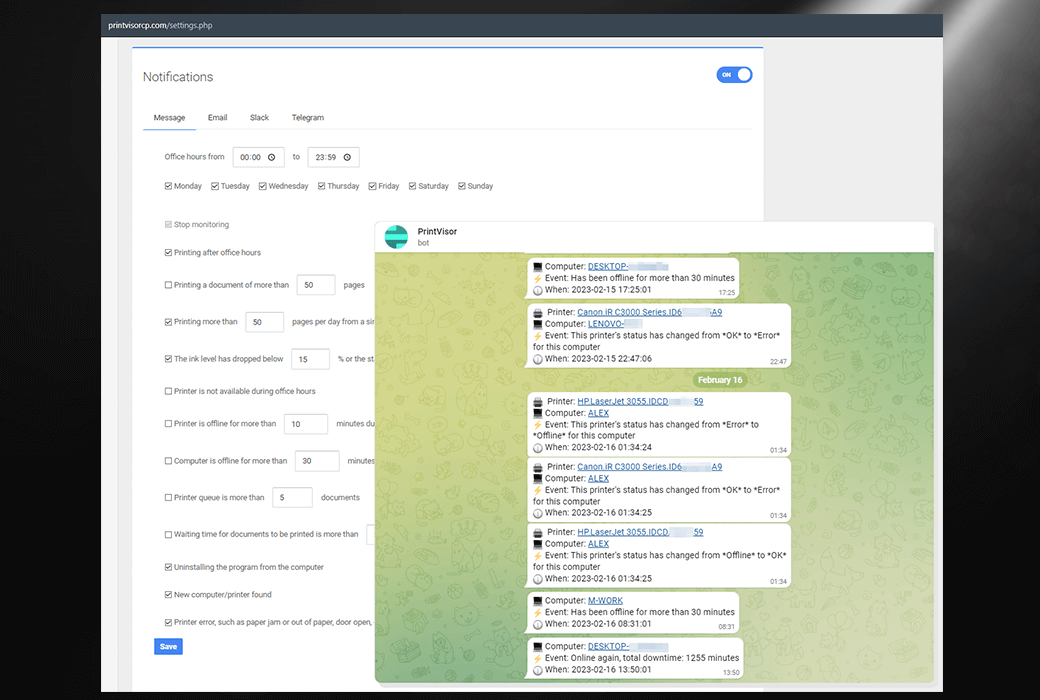
In the management panel, PrintVisor will periodically notify you of events such as printing outside of working hours, ink levels dropping to critical levels (10% or below), printing time or queue exceeding limits, detection of new PC/printer, and printer errors (paper jamming, door opening, etc.).
User interface and management panel
- Application - Collect data from specific PCs and their printers
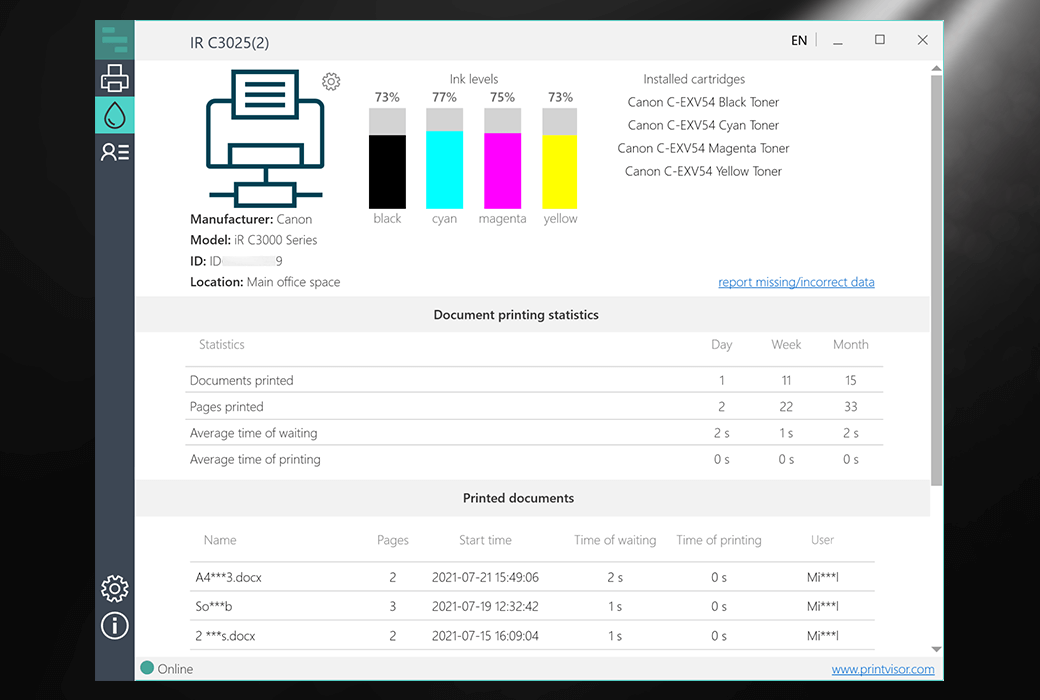
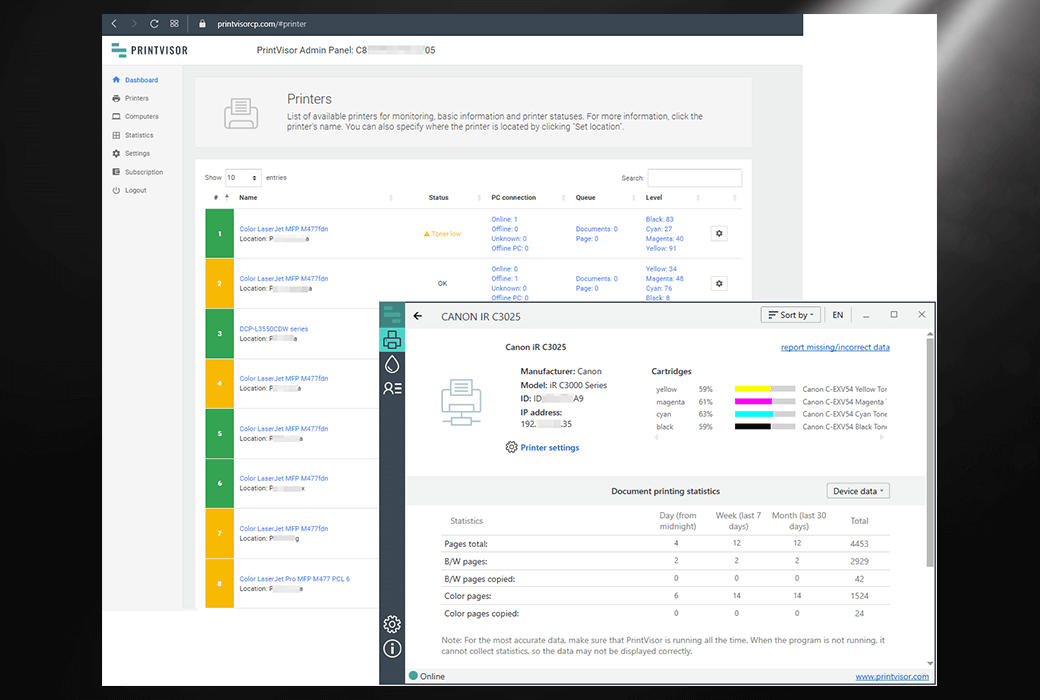
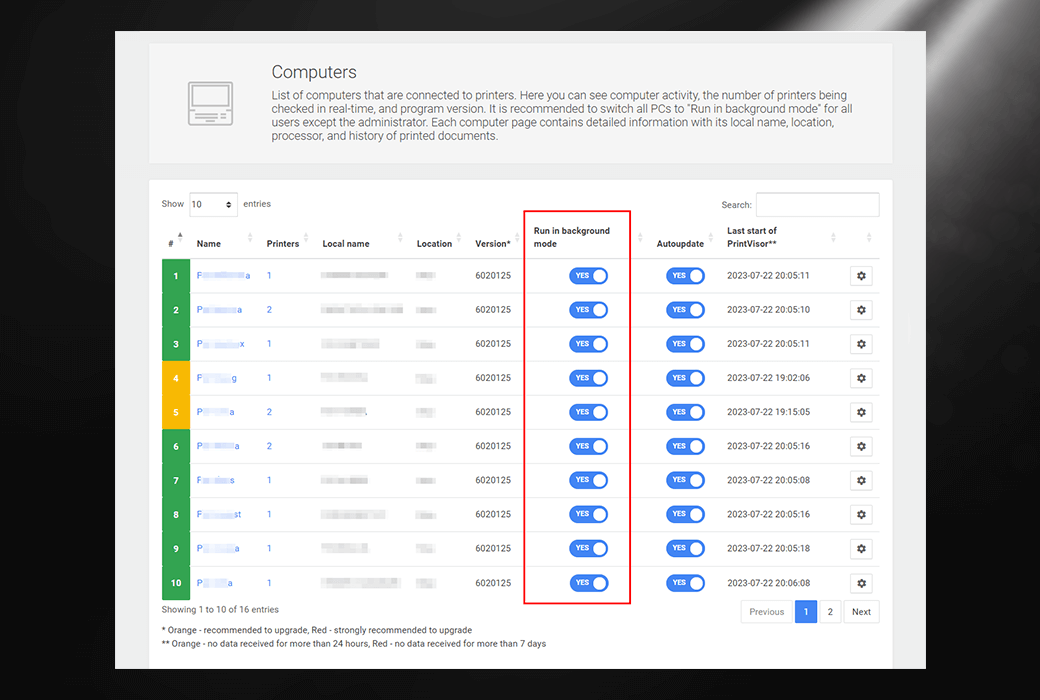
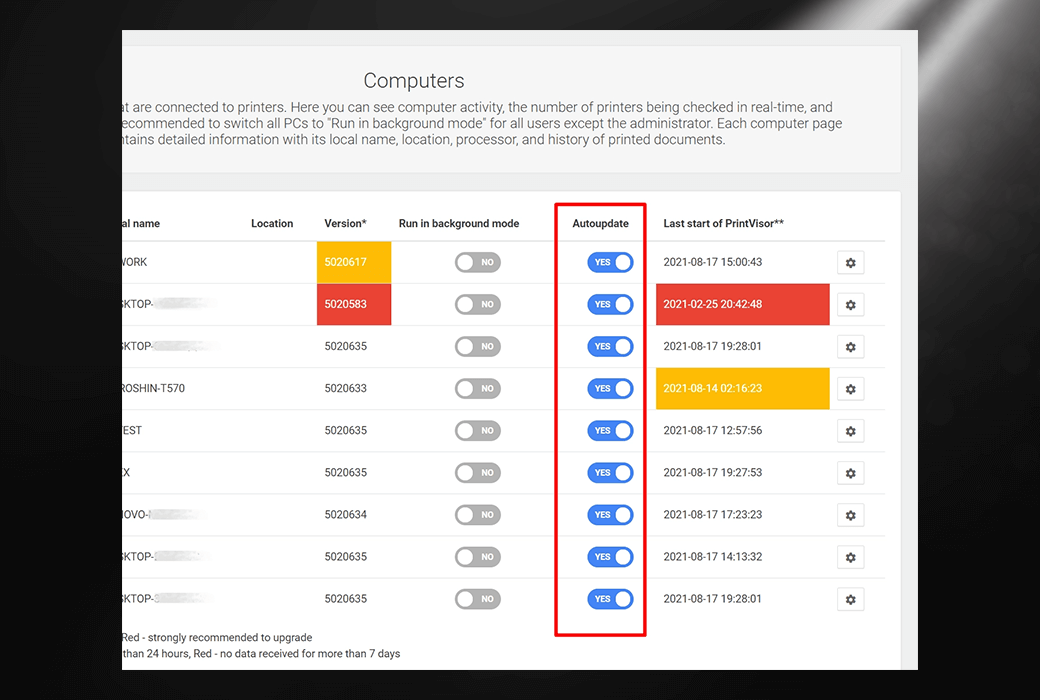
A simple and intuitive interface displays the ink or toner levels of all connected printers and each device. Here, you can view the status of each printer, ink and toner levels, document printing statistics, and manage your personal profile. The application should be switched to background mode, except for administrators (the program will only be visible in the system tray).
- Web Dashboard - Provides summary statistical data for all companies' personal computers and printers
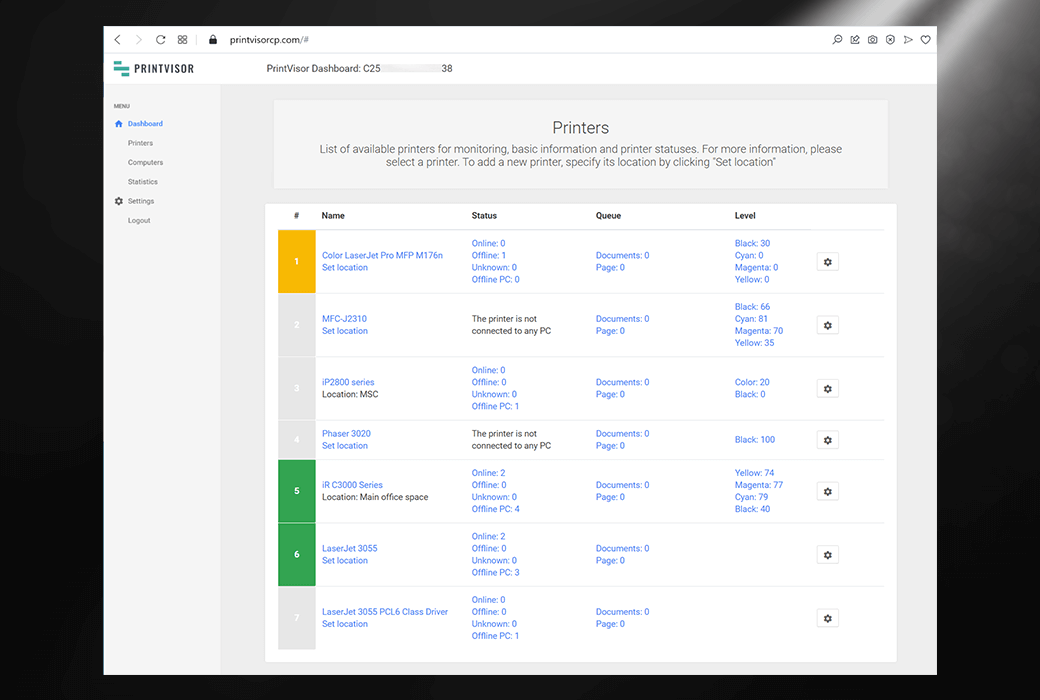
The administrator panel is designed as Google Analytics for the printer world. It can be accessed from any web browser and serves as a convenient dashboard displaying more information, including summary data, statistics, charts, settings, and recorded print jobs. In addition, you can customize notification settings here.
advantage
- Printer management
PrintVisor displays the status of each printer, allowing you to quickly determine the condition of specific devices. If a printer is malfunctioning or overloaded, you can take immediate action. In addition, you can also set a default printer and clear the print queue if necessary, all of which help keep the office running smoothly.
- Uninterrupted and smooth printing
With PrintVisor, you will never accidentally run out of consumables! You will always know when to purchase ink, toner, and paper. In addition to monitoring the level of consumables, you can also view the average waiting and printing time. This will help you optimize the document process and allocate workload on the printer to achieve a smooth and uninterrupted workflow.
- Printing Security
PrintVisor can help with secure printing. Ensure that only work-related documents are printed to prevent the misuse of paper and other consumables. In addition, ensure that highly confidential documents are not printed by individuals who should not have access to them, thereby preventing any potential data leaks.
Print monitoring function
- Ink cartridges and toner/toner monitoring
PrintVisor is a software that displays ink cartridge levels on desktop applications and web panels. It monitors ink or toner level data for various models of local and network printers. The ink level is displayed in both the application and management panel.
- Printer status monitoring
PrintVisor displays the availability and status of each printer: online/offline, standby, error, no ink/paper, paper jam, door open, etc. You can also see how many documents are being sent to a specific printer.
- Remote printer data collection
All printers in the company department are connected to the same configuration file on the PrintVisor network. This means that data will be received from each printer, whether it is located next door or in another country. Is it next door or in another country.
- Managing paper consumption in the office
PrintVisor provides information about the quantity of paper printed during a specific time period, such as one day, one week, or one month. This allows you to estimate costs in advance and effectively reduce them.
- Printer load monitoring
PrintVisor determines the current number of files in the print queue and provides an estimate of the printer workload. The program can also set the printer as default and quickly open its print queue.
- Real time notification
Receive instant notifications about important events (via email, Slack, Telegram), such as printer/computer unavailability, printer errors, paper jams, paper shortage, doors not closed, printing outside of office hours, etc.
- Printer Performance Evaluation
Using PrintVisor, you can find out how efficient your printer is. That is to say, how many pages can your printer actually print per minute, per hour, per day, and per month. This will help you replace inefficient models and optimize your printer fleet.
- Record printing assignments
PrintVisor displays the file name sent to the printer, as well as the username and the computer associated with them (the name section is hidden for security reasons). You will always know which computer the file was printed from and when it occurred.
- Accessing common statistical data through a web interface
View visual charts in the management panel showing how many documents or pages a specific printer/computer printed in a day, week, or month. This will help you understand user habits and reduce costs by more accurately planning your consumables budget.
price
PrintVisor is provided free of charge to users who want to monitor up to 3 printers. For business customers or anyone who wants to view complete statistical data, we offer an annual subscription service based on the number of printers.