Login/Sign Up Sign Out
{{ messageCategory.totalUnreadNum }}
APSGO LOGO
{{ item.sku_info.spec_desc }}
{{ item.count }}x
Combination {{ combo.product.name }}
{{ combo.sku_info.spec_desc }}
x1
Total Price:
View Cart
No APPS available
{{ carts.count }}件
Cart
Home Overview iRightMouse professional version mouse right-click menu tool software
超级右键
iRightMouse professional version mouse right-click menu tool software截图 iRightMouse professional version mouse right-click menu tool software截图 iRightMouse professional version mouse right-click menu tool software截图 iRightMouse professional version mouse right-click menu tool software截图 iRightMouse professional version mouse right-click menu tool software截图
Download
iRightMouse professional version mouse right-click menu tool software
iRightMouse is the most powerful right click menu tool on the Mac. Its rich functions make your right click menu even more powerful. The popular interaction design helps you greatly improve your MacOS experience!

{{ item.spec_option }}

{{ item.spec }}

System

{{ random.sku_info.price }}

Reference price

Bargaining Rules:
1、Activity time : cease when sold out。
2、This product supports bargaining times for each ID:5 次
3、Each product only supports one successful negotiation, with an additional one for annual membership fees.
4、 After successful negotiation, pay the order according to the negotiated amount.
Reference price: {{ random.sku_info.price }}
The number of bargaining attempts has been exhausted Successfully negotiated! Go place an order! Price negotiation completed I Want to Haggle
{{ item }} ({{ app.qa.questionsData.total }})

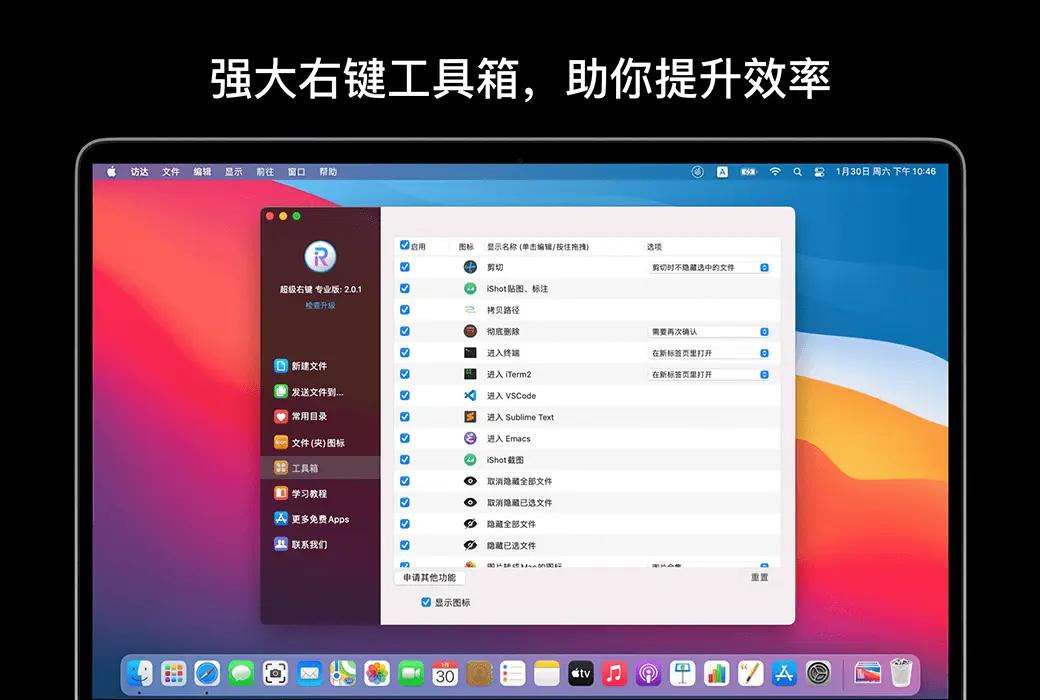
Super right-click is a powerful right-click menu tool on Mac, with rich features that add wings to your right-click menu. The deeply ingrained interaction design helps you greatly improve your macOS user experience!


Function Overview:


  1. Right click to create a new file
  2. Send files to
  3. Copy files to
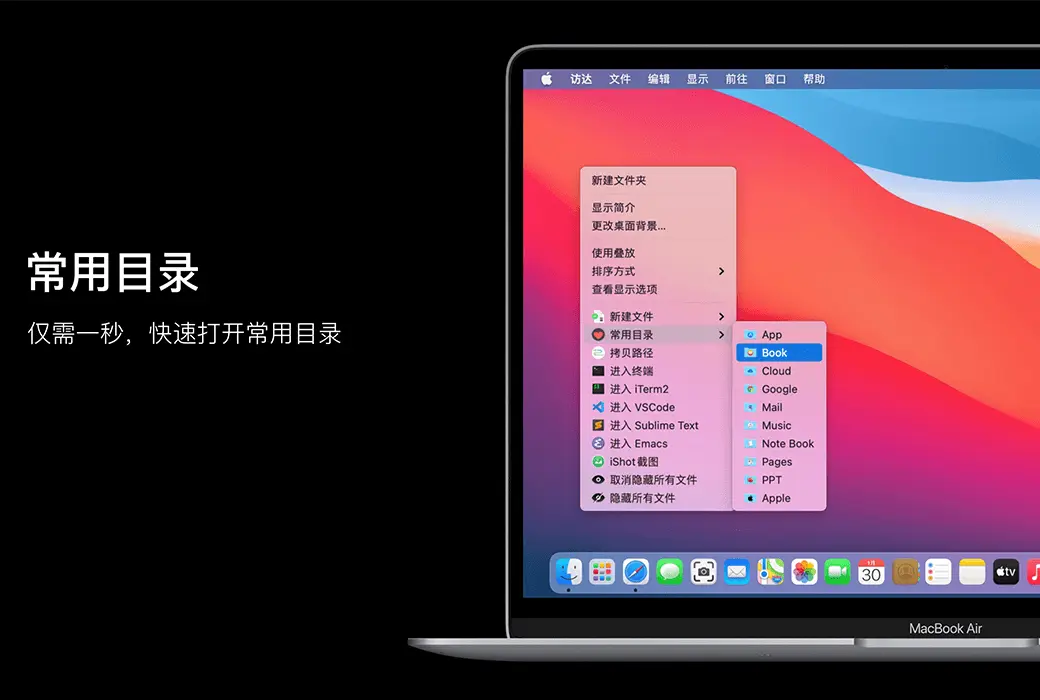
  4. Common Catalog
  5. Customize folder icon
  6. Cut/paste files
  7. Copy Path
  8. Specify the tool to enter the current path
  9. Hide/Show Files
  10. Completely delete files
  11. Convert images to macOS icon set
  12. Convert images to iOS icon set
  13. Baidu Translate
  14. Google Translate
  15. QR code conversion


Function Introduction:


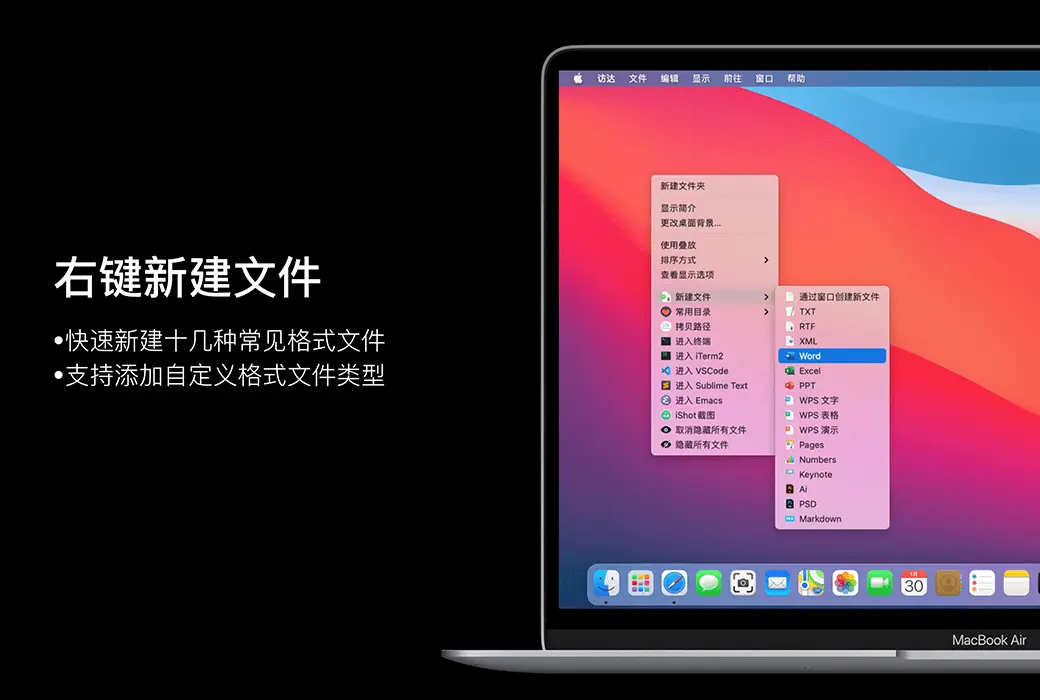
  1. Right click to create a new file


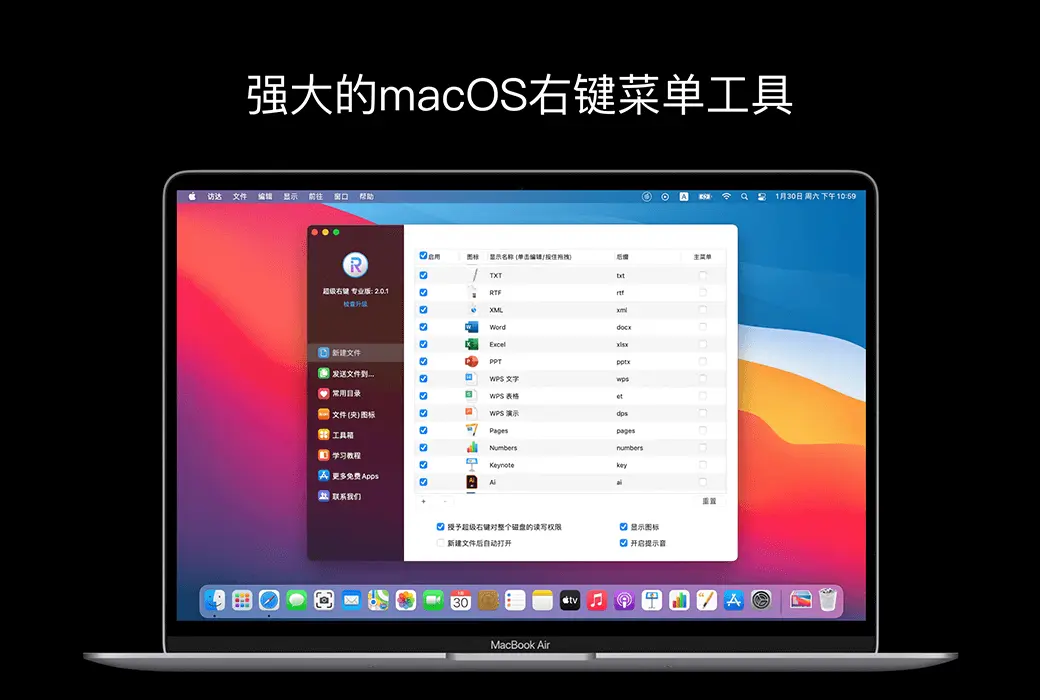
1. Default support for creating new file formats:


TXT/RTF/XML/Word/Excel/PPT/WPS Text/WPS Table/WPS Demo/Pages/Numbers/Notes/Ai/PSD/Markdown


2. Support users to add new file format types


  1. Send files to


Send the file to the specified location


  1. Copy files to


Copy the file to the specified location


  1. Common Catalog


Add and set common directories in the right-click menu, select to reach the specified directory


  1. Customize folder icon


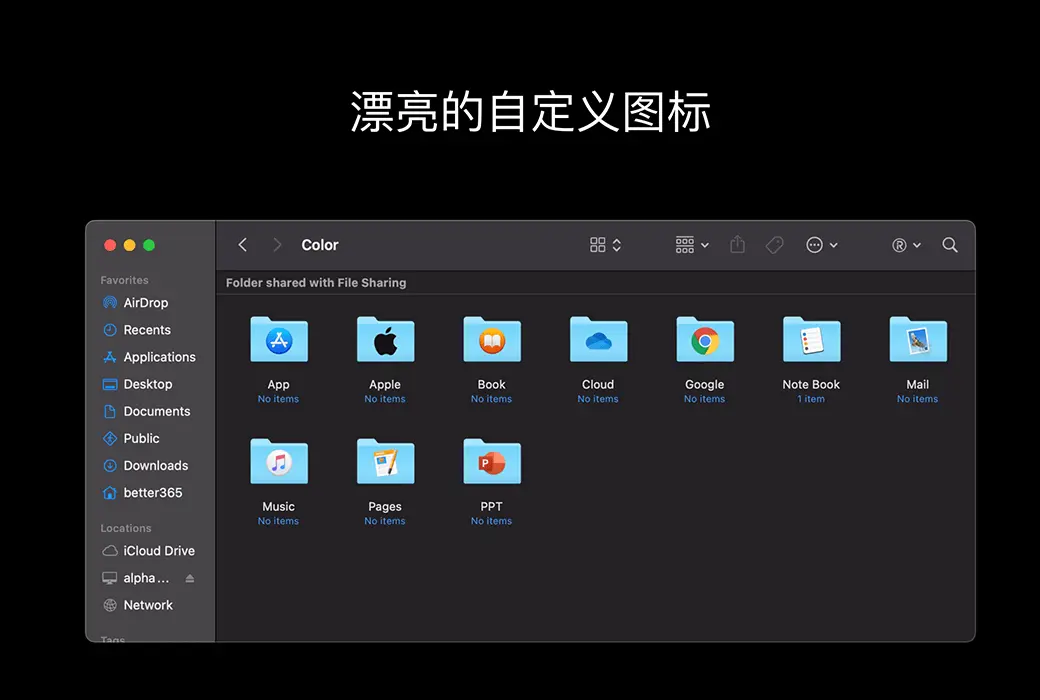
Isn't it inconvenient to find folders that are all the same? Don't be afraid, you can easily replace the folder with beautiful icons. Super right-click provides a large number of beautiful folder icons. Select the folder and set it up with a beautiful folder.


  1. Cut/paste files


Right click menu for cutting/pasting files, convenient and fast


  1. Copy Path


Select the file or right-click to copy the path in the current window for easy use


  1. Specify the tool to enter the current path


Enter the path in terminal/iTerm2/VSCode/Sublime Text/Emacs


  1. Hide/Show Files


1. Show/hide a file


2. Show/hide all files in the current window


  1. Completely delete files


Select the file, delete it directly, do not keep it in the trash can


  1. Convert images to macOS icon set


Select the image and convert it into icon sets of 16 * 16, 32 * 32, 64 * 64, 128 * 128, 256 * 256, 512 * 512, 1024 * 1024


  1. Convert images to iOS icon set


Select the image and convert it to:


1. iPhone icon group


29 * 29, 40 * 40, 58 * 58, 57 * 57, 114 * 114, 120 * 120, 180 * 180


2. iPad icon group


29 * 29, 40 * 40, 50 * 50, 58 * 58, 80 * 80, 100 * 100


72 * 72, 76 * 76, 144 * 144, 153 * 153, 160 * 160


3. Apple Watch icon group


48 * 48, 55 * 55, 58 * 58, 87 * 87


80 * 80, 88 * 88, 172 * 172, 196 * 196


Right click on the service menu:


  1. Baidu Translate
  2. Google Translate
  3. QR code conversion
  4. Select the text and right-click on the service menu to perform Baidu Translate, Google Translate, and convert it into a QR code for storage on the clipboard

Official website:https://www.better365.cn/irightmouse.html

Download Center:https://irightmouse.apsgo.cn

Backup Download:N/A

Delivery time:24-hour automatic shipping

Operating platform:macOS

Interface language:Supports Chinese interface display, with multiple languages available.

Update instructions:The official promises a one-time purchase and lifetime updates.

Pre purchase trial:Free trial for 3 days before purchase.

How to receive the goods:After purchase, the activation information will be sent to the email address at the time of placing the order, and the corresponding product activation code can be viewed in the personal center, My Orders.

Number of devices:Can install 1 computer.

Replacing the computer:Uninstall the original computer and activate the new computer.

Activation guidance:Start the software and click "Register" in the bottom right corner. Follow the prompts to enter the registration code and click "Register to activate".

Special instructions:To be added.

Reference materials:https://www.better365.cn/irightmousedifference.html

Ask a question
All FAQ Tricks Tutorial Default Newest
iRightMouse professional version mouse right-click menu tool software截图 iRightMouse professional version mouse right-click menu tool software截图 iRightMouse professional version mouse right-click menu tool software截图 iRightMouse professional version mouse right-click menu tool software截图 iRightMouse professional version mouse right-click menu tool software截图

Bargaining

Reference price: {{ random.sku_info.price }}
Let's go~~ (Surplus {{ random.surplus_num }} times)
Pay and leave